

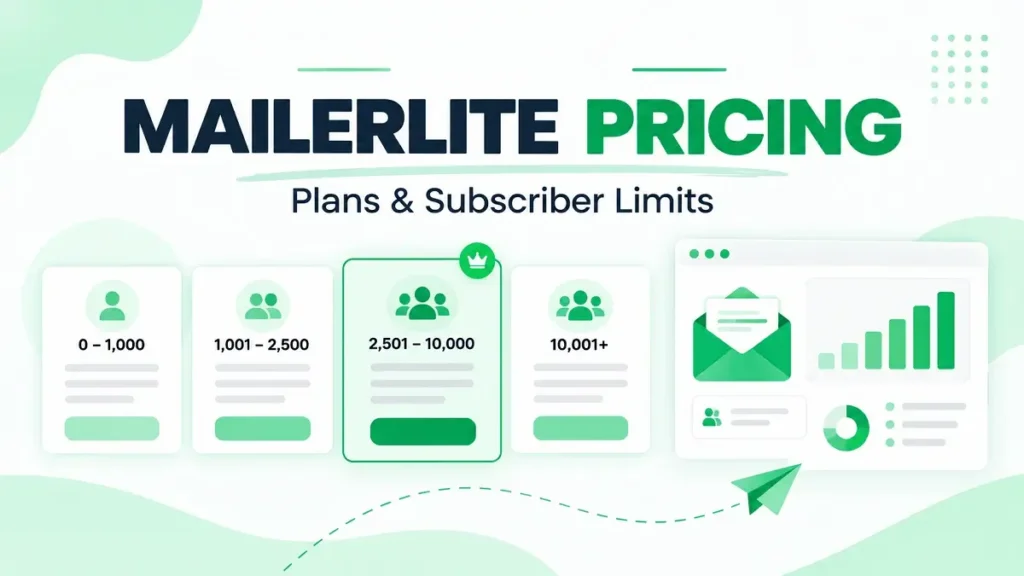
MailerLite is an email marketing platform for newsletters, automations, landing pages, forms and digital products. In 2026, its pricing structure is simpler than many competitors: you choose between Free, Comfort, Power and Enterprise, then the paid price scales with your subscriber count and sending needs.
Quick Answer
MailerLite currently offers a Free plan at $0, Comfort from $12/month, Power from $25/month, and Enterprise with custom pricing. The Free plan supports up to 250 subscribers and 2,500 monthly emails. Paid pricing rises as your list grows, and yearly billing advertises a 10% saving.
MailerLite Pricing at a Glance
| Plan | Starting price | Main limits / position |
|---|---|---|
| Free | $0 | Up to 250 subscribers and 2,500 monthly emails |
| Comfort | From $12/month | For regular newsletters and automations |
| Power | From $25/month | Unlimited monthly emails and user seats |
| Enterprise | Custom | For 200K+ subscribers and larger organizations |
Pricing checked September 2026. MailerLite says paid pricing depends on list size and sending volume, so the exact monthly total can increase as your subscriber count grows.
What Do You Get on the Free Plan?
MailerLite’s Free plan is more than a basic trial. It includes up to 250 subscribers, 2,500 monthly emails, two user seats, email campaigns, three automations, one website, one landing page and three signup forms.
That is enough to learn the platform and run a small list without paying immediately. The main limitation is scale: once your list or sending needs grow, you will need a paid plan.
MailerLite Comfort Pricing
Comfort starts at $12 per month. It is aimed at people who send regular newsletters and use automation without needing unlimited everything.
Compared with Free, Comfort adds features such as unlimited templates, more automations, more websites and landing pages, AI writing tools, smart sending and removal of MailerLite branding. MailerLite currently lists three user seats on this tier.
For a small business, creator or newsletter operator, Comfort is the most natural first paid step if Free becomes too restrictive.
MailerLite Power Pricing
Power starts at $25 per month and is positioned for frequent senders, teams and heavier automation use. MailerLite lists unlimited monthly emails, unlimited user seats, unlimited automations, unlimited landing pages, unlimited forms, unlimited digital products and 24/7 live chat support.
The value of Power is less about one special feature and more about removing many of the limits that exist on lower tiers.
How Subscriber Count Affects the Price
MailerLite prices paid plans according to list size. The advertised $12 and $25 prices are starting points, not permanent flat rates for every account size.
That means you should compare costs using the subscriber count you expect to have, not only the headline entry price. A platform that looks inexpensive at 1,000 subscribers can look very different at 10,000 or 50,000.
Monthly vs Yearly Billing
MailerLite currently advertises a 10% saving for annual billing. Annual payment can make sense once you know the platform fits your workflow. If you are still comparing email tools, monthly billing gives you more flexibility.
What Happens When You Outgrow MailerLite Free?
The Free plan is useful, but the jump is triggered by more than subscriber count. You can also hit the monthly send ceiling, automation limits or branding restrictions before the list itself feels large.
A simple example: with 250 subscribers, one full-list newsletter uses 250 sends. Ten full-list emails in a month would already use the 2,500-email allowance. That is enough for a weekly newsletter, but it leaves little room for automation emails or extra campaigns.
This is why Comfort can make sense before you have a large audience. Sometimes the upgrade is about workflow and sending frequency, not just list size.
Which MailerLite Plan Makes Sense?
The Free plan is useful for testing the platform and running a very small audience. Comfort fits regular newsletter sending and moderate automation. Power makes more sense when you want to remove sending, user and automation limits. Enterprise is aimed at very large lists and teams that need dedicated support.
For more email and marketing software, see the Software & Marketing Tools hub. You can also compare its pricing model with Brevo Pricing and GetResponse Pricing.